



SharePoint and Microsoft Teams
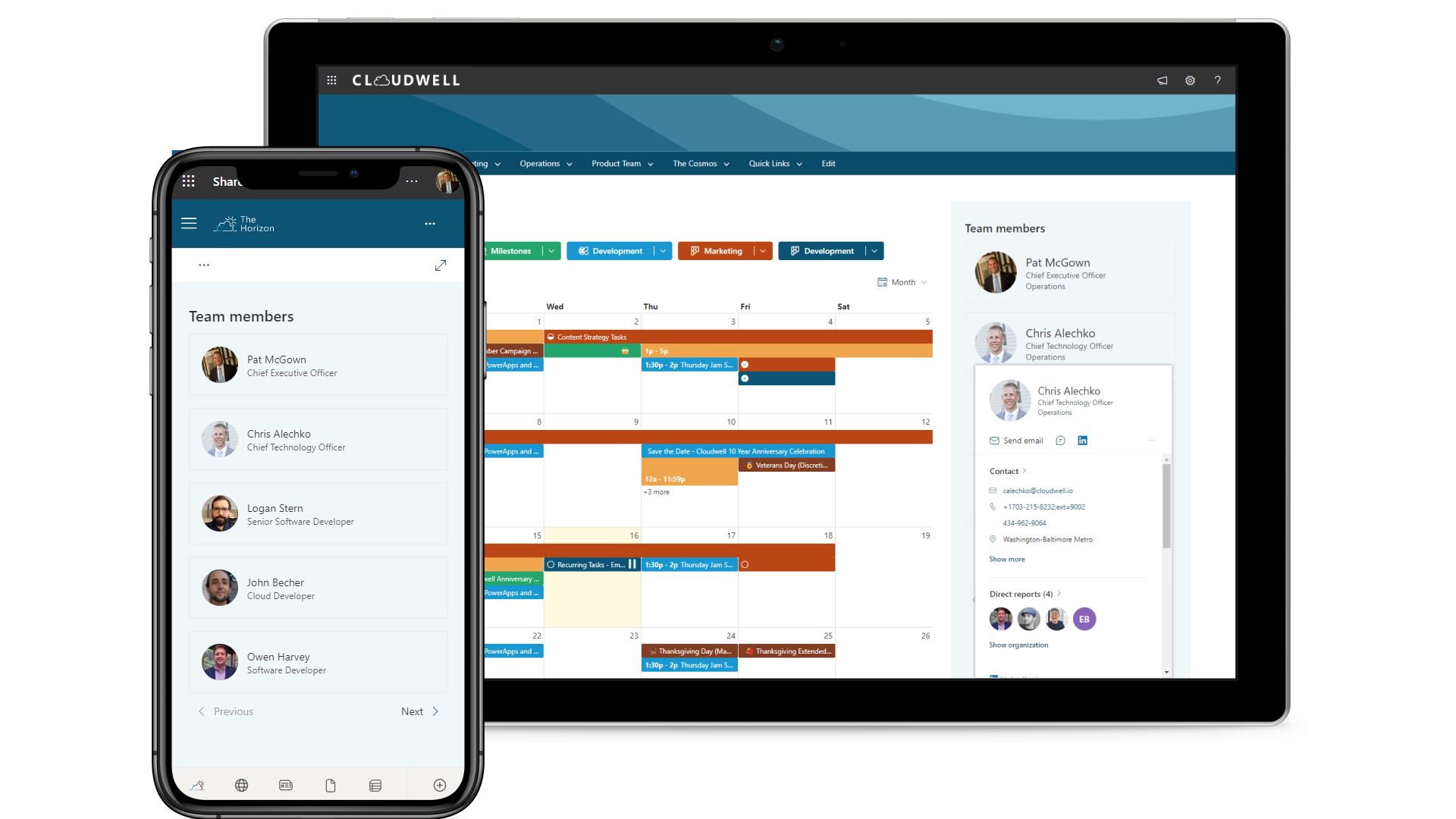
Display team members in a SharePoint web part or a Microsoft Teams channel tab.
View the members of your Microsoft 365 groups, security groups, SharePoint groups, Teams, and Microsoft Entra ID departments in one place!
Visualize as many members of your Microsoft 365 groups, SharePoint groups, Teams, and Microsoft Entra ID departments as you need.
As users join or leave departments, projects, or any other criteria that define a dynamic group in Microsoft Entra ID, our Team Members app updates automatically. No more manual editing of team lists in SharePoint.
Built for a modern experience, configuration is simple and flexible. Use the app in SharePoint as a web part or in Microsoft Teams as a channel tab.
View your users with various display options and color configurations to match your brand.
Hover or click on users to display contact information.
Add users from SharePoint and Microsoft 365 groups, Microsoft Entra ID departments, or manually add individual users.
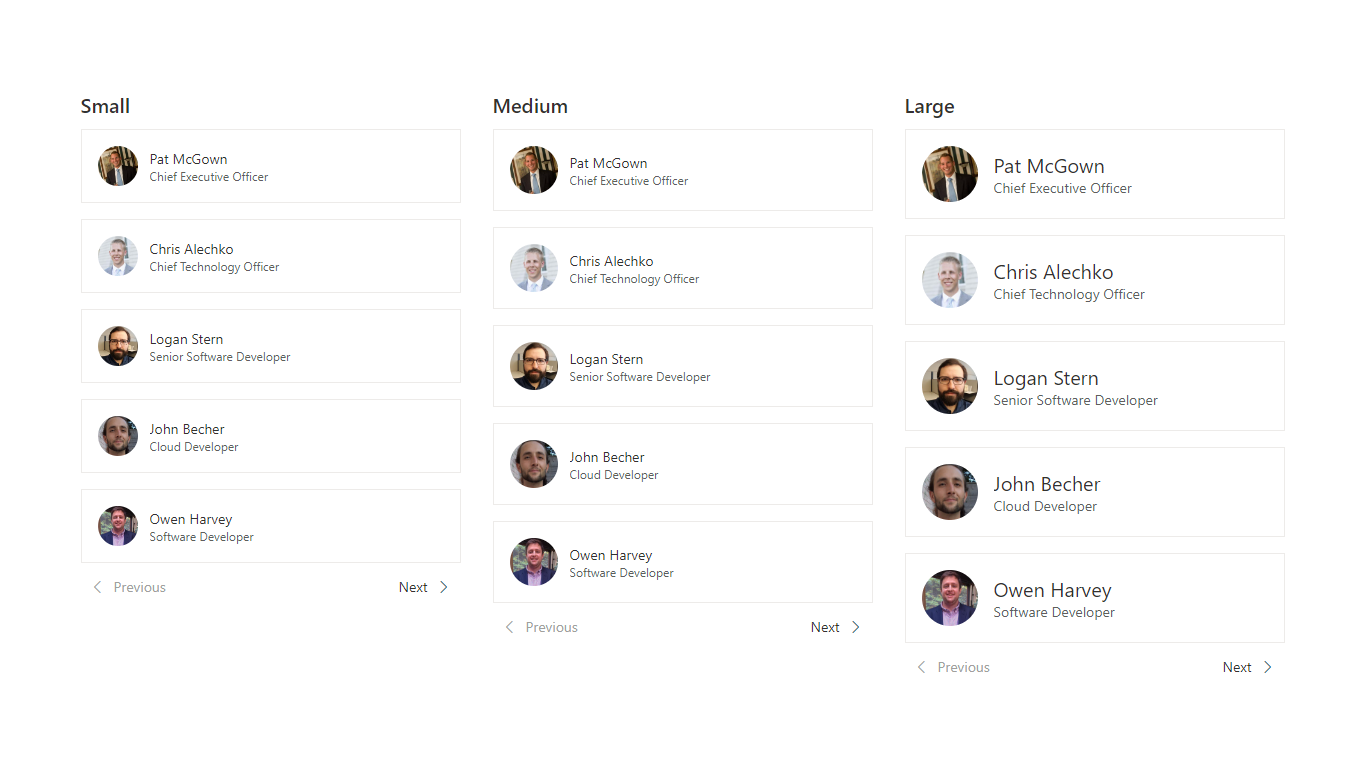
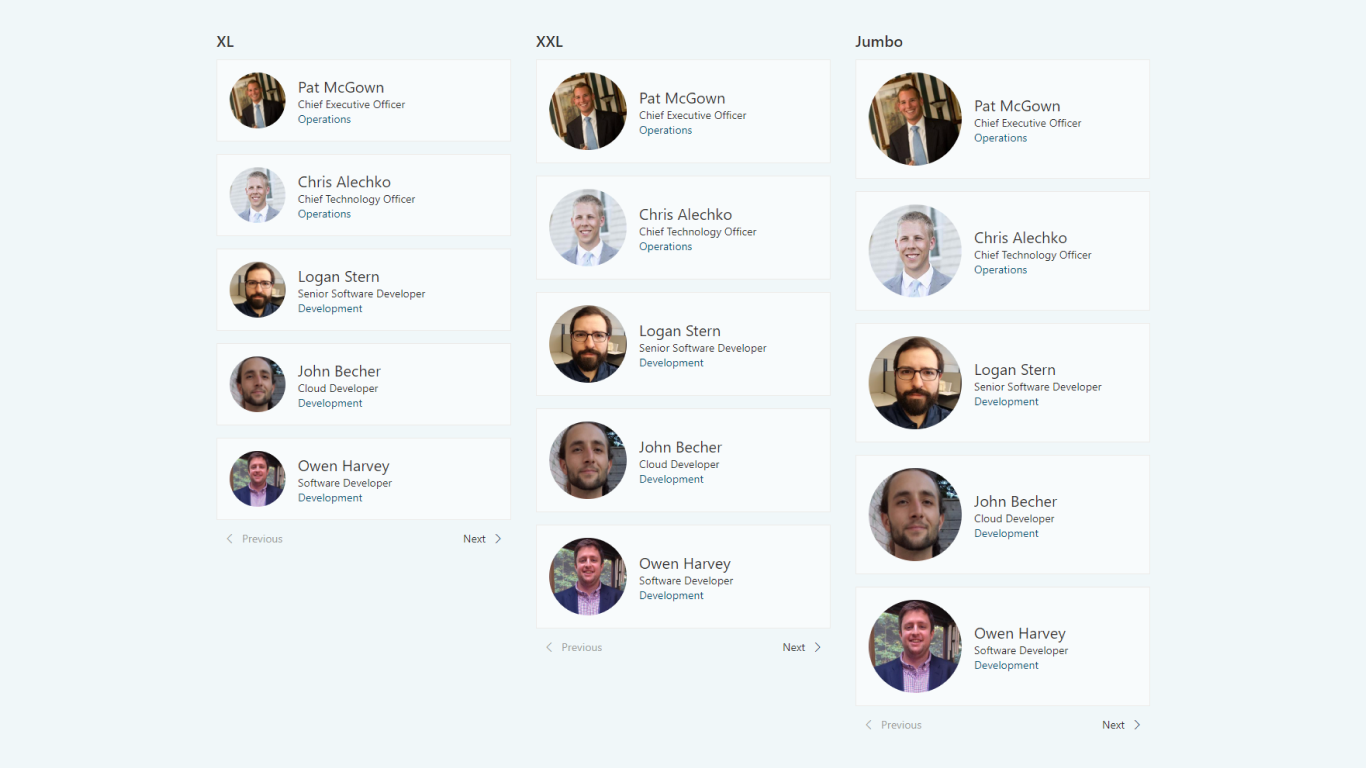
Several persona size options and fully customizable color themes.
The app supports 22 languages and works with your regional settings without any additional configuration.

Visualize project team members across departments and contact them directly from your project site or Teams channel.
List your team members for departments, projects, and beyond.
Quickly display and sort department management.
Display team members in a SharePoint web part or a Microsoft Teams channel tab.
Choose people from Microsoft 365 groups, security groups, SharePoint groups, Teams, and Microsoft Entra ID departments. You can also add individual users.
Count unique people who view the app during a rolling 30-day period. SharePoint Page Analytics’ Page Viewers metric can help you estimate.
One year at standard pricing, two years with 10% savings, or three years with 15% savings.
Additional program discounts may apply, subject to approval and qualification. Combined discounts are capped at 25%.
Choose your audience and term, then request a quote. Where available, use the calculator below to estimate your price.
$250 USD per year
Standard annual subscription.
Additional program discounts may apply after eligibility is confirmed. This estimate includes the term discount only.
Request a quoteDiscover how our apps are revolutionizing SharePoint and Teams, as recognized on The Intrazone podcast by Microsoft. Listen to the podcast here.

Try the app or book a demo to explore how it fits your organization.














| Cookie | Duration | Description |
|---|---|---|
| cookielawinfo-checkbox-analytics | 11 months | This cookie is set by GDPR Cookie Consent plugin. The cookie is used to store the user consent for the cookies in the category "Analytics". |
| cookielawinfo-checkbox-functional | 11 months | The cookie is set by GDPR cookie consent to record the user consent for the cookies in the category "Functional". |
| cookielawinfo-checkbox-necessary | 11 months | This cookie is set by GDPR Cookie Consent plugin. The cookies is used to store the user consent for the cookies in the category "Necessary". |
| cookielawinfo-checkbox-others | 11 months | This cookie is set by GDPR Cookie Consent plugin. The cookie is used to store the user consent for the cookies in the category "Other. |
| cookielawinfo-checkbox-performance | 11 months | This cookie is set by GDPR Cookie Consent plugin. The cookie is used to store the user consent for the cookies in the category "Performance". |
| viewed_cookie_policy | 11 months | The cookie is set by the GDPR Cookie Consent plugin and is used to store whether or not user has consented to the use of cookies. It does not store any personal data. |
PRODUCT DEMO
Choose a time to explore our Microsoft 365 apps and discuss your team’s needs.